
If you want a simple iPad for school, work, streaming, browsing, and daily tasks, the Apple iPad 11-inch with the A16 chip is easy to consider.
This model has an 11-inch Liquid Retina display, 128GB storage, Wi-Fi 6, Touch ID, and a slim design. It also has a 12MP rear camera and a 12MP Center Stage front camera.
The A16 chip gives this iPad a nice performance boost. It should feel quick for normal apps, web browsing, video calls, notes, games, and media use.
The Silver finish also gives it a clean and classic look.
But this iPad is not perfect.
It still uses a 60Hz display. It also does not have the Pro-level features found on Apple’s more expensive iPads.
So, is it the right iPad for you?
Let’s take a closer look.
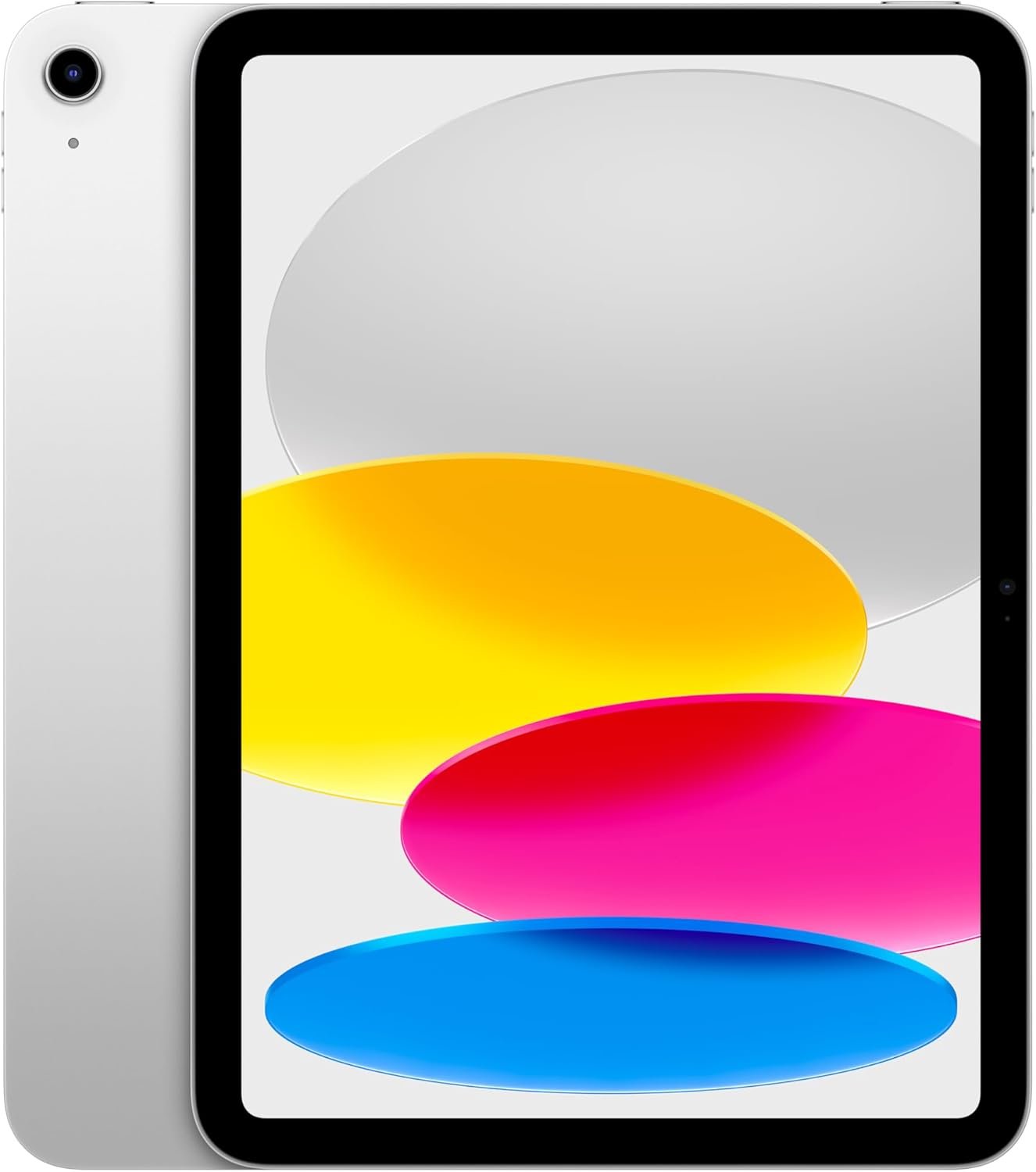
Apple iPad 11-inch A16 Review
The Apple iPad 11-inch A16 is a good fit for people who want a fast and simple tablet without paying for a higher-end iPad.
The A16 chip is one of the main reasons to look at this model. It has a 5-core CPU, 4-core GPU, and 16-core Neural Engine.
For everyday use, that is more than enough power for most people.
I also like the 128GB starting storage on this model. It gives you more room than the older 64GB entry-level iPad models.
You can use it for apps, photos, videos, documents, games, and downloads without running out of space too quickly.
The 11-inch Liquid Retina display is another strong point.
It has a 2360 x 1640 resolution and 264 pixels per inch. It also supports True Tone and reaches up to 500 nits of brightness.
That makes the screen useful for watching movies, reading, browsing, studying, and working on documents.
The iPad is also light enough to carry around. The Wi-Fi model weighs about 1.05 pounds.
That makes it much easier to hold than a large laptop.
Key Features at a Glance
| Feature | Details |
|---|---|
| Product | Apple iPad 11-inch |
| Chip | Apple A16 |
| Display | 11-inch Liquid Retina |
| Resolution | 2360 x 1640 |
| Storage | 128GB |
| Wireless | Wi-Fi 6 |
| Rear Camera | 12MP Wide |
| Front Camera | 12MP Center Stage |
| Security | Touch ID |
| Port | USB-C |
| Battery | Up to 10 hours of Wi-Fi web use or video |
| Color | Silver |
| Weight | About 1.05 lb. for Wi-Fi |
| Apple Pencil | Supported |
| Operating System | iPadOS |
A16 Chip Performance
The A16 chip is the biggest reason this iPad feels modern.
It has enough power for common daily tasks without making the tablet feel slow.
Apps should open quickly. Web pages should feel responsive. Switching between normal apps should also be smooth.
The A16 chip is also useful for games.
Of course, this is not the same as buying an iPad Pro with a more powerful chip and extra features. But most people do not need that level of power.
For schoolwork, office tasks, streaming, social apps, video calls, and light creative work, the A16 is a strong choice.
If you plan to keep the iPad for several years, the newer chip is also a nice advantage.
11-inch Liquid Retina Display
The 11-inch display is one of the best parts of this iPad.
It has a Liquid Retina display with IPS technology. The resolution is 2360 x 1640.
Text looks sharp.
Photos look clean.
Videos are enjoyable to watch.
The screen also supports True Tone. This can make the display more comfortable by adjusting its color based on the surrounding light.
The display reaches up to 500 nits of brightness.
That is enough for most indoor use and many normal outdoor situations.
One thing to remember is that this is not a high-refresh-rate iPad.
The display runs at 60Hz.
If you are used to a 120Hz phone or tablet, scrolling may not feel as fluid.
For normal iPad use, though, 60Hz is still perfectly usable.
128GB Storage
The 128GB storage option is a big plus.
For many users, 128GB is a much better starting point than 64GB.
You can keep a good number of apps, photos, documents, downloads, and games on the iPad.
Still, storage needs depend on how you use the tablet.
If you download many large games or store lots of high-resolution videos, 128GB can fill up.
For normal users, students, families, and casual tablet users, however, 128GB should be a comfortable starting point.
I would choose 128GB over a smaller storage option if you plan to keep the iPad for years.
Wi-Fi 6 Connectivity
This model supports Wi-Fi 6.
That is useful for people with a modern Wi-Fi router.
Wi-Fi 6 can provide better performance and efficiency on compatible networks.
The iPad also supports Bluetooth 5.3.
For normal home use, school, work, and travel, the Wi-Fi model makes sense if you usually have access to Wi-Fi.
If you need mobile internet away from Wi-Fi, you would need to look at a cellular version instead.
12MP Rear Camera
The rear camera has a 12MP Wide sensor.
It can be useful for more than taking casual photos.
You can scan documents.
You can photograph notes.
You can record videos.
You can also use it for basic everyday photography.
The camera supports features such as autofocus, Smart HDR, panorama, and digital zoom.
It is not designed to replace a high-end iPhone camera.
But for a tablet camera, it is useful and practical.
12MP Front Camera
The front camera is also 12MP.
One important feature is Center Stage.
Center Stage can keep you in the frame during supported video calls.
That is useful when using the iPad for FaceTime and other compatible video apps.
The landscape placement also makes sense for video calls.
If you often attend online classes, meetings, or family video calls, the front camera is a strong part of this iPad.
Touch ID
This iPad uses Touch ID instead of Face ID.
The Touch ID sensor is built into the top button.
It lets you unlock the iPad with your fingerprint.
You can also use it for supported purchases and authentication.
Some people prefer Face ID.
Others like the simplicity of a fingerprint sensor.
Touch ID is fast and familiar.
It also works well when you do not want to type a passcode every time you unlock the tablet.
Battery Life
Battery life is another good reason to consider this iPad.
Apple rates the Wi-Fi model for up to 10 hours of web surfing or video watching on a single charge.
Real battery life will vary.
Screen brightness matters.
App use matters.
Gaming can use more power.
Streaming over different network conditions can also change battery life.
Still, the rated battery life makes this iPad suitable for a full day of normal use for many people.
That is useful for students and people who carry the iPad between home, work, and school.
Design and Silver Finish
The Silver color is simple and timeless.
It does not look too flashy.
It also works well with many cases and accessories.
The iPad measures about 9.79 inches tall, 7.07 inches wide, and 0.28 inches thick.
The Wi-Fi model weighs about 1.05 pounds.
That is light enough to carry in a backpack or laptop bag without adding much weight.
The slim body also makes it comfortable to use on a desk or couch.
USB-C Port
The iPad uses USB-C.
That is convenient because USB-C is now common across many devices.
You can use the port for charging and supported accessories.
It also supports external display output with compatible hardware.
The USB-C port makes the iPad more flexible than older Lightning-based devices.
If you already own USB-C accessories, this can be a useful benefit.
Apple Pencil Support
The iPad supports Apple Pencil.
That makes it more useful for students, artists, note-taking, and handwritten work.
You can write notes by hand.
You can mark documents.
You can sketch.
You can also use compatible apps for drawing and creative projects.
The Apple Pencil is sold separately, so remember to include its cost when planning your budget.
Who Is This iPad For?
I think this iPad makes the most sense for people who want a reliable everyday tablet.
It is a strong choice for:
- Students
- Casual users
- Families
- Home users
- Streaming fans
- People who browse the web often
- People who take video calls
- People who need a tablet for work
- People who want a portable second screen
- People who want an iPad with good long-term performance
It can also be a good first iPad.
The interface is simple.
The hardware is modern.
The storage is useful.
The A16 chip gives it plenty of power for everyday tasks.
Who Should Skip It?
This iPad may not be the best choice for everyone.
You may want another model if you need a 120Hz display.
You may also want a higher-end iPad if you do heavy professional video editing, advanced graphics work, or demanding creative work.
The 128GB storage may also feel small if you keep a very large local media library.
And if you need cellular internet everywhere, the Wi-Fi-only version may not be enough.
Pros and Cons
Pros
- Fast A16 chip
- 11-inch Liquid Retina display
- Sharp 2360 x 1640 resolution
- 128GB starting storage
- Wi-Fi 6 support
- 12MP rear camera
- 12MP Center Stage front camera
- Touch ID
- USB-C port
- Good battery life
- Apple Pencil support
- Slim and lightweight design
- Clean Silver finish
- Good choice for school and everyday use
Cons
- Display is limited to 60Hz
- No Face ID
- No ProMotion display
- Apple Pencil costs extra
- 128GB may not be enough for heavy users
- Not designed as a professional-level iPad
- Wi-Fi model needs Wi-Fi for internet access
Is the Apple iPad 11-inch A16 Good for Students?
Yes.
This is one of the areas where the iPad makes a lot of sense.
The 11-inch screen is large enough for reading and writing while still being easy to carry.
The A16 chip gives students enough power for common school apps.
The 128GB storage can hold apps, PDFs, notes, photos, and other files.
Apple Pencil support is also useful for handwritten notes.
The battery life can help during long school days.
A keyboard accessory can also turn the iPad into a more laptop-like setup.
Is the 128GB Model Enough?
For many users, yes.
If you mainly use cloud storage, streaming services, school apps, web browsing, notes, and normal apps, 128GB should be fine.
If you download lots of movies, install many large games, or store a large photo and video collection locally, you may need more storage.
Think about how you use your current phone or tablet.
If you often run out of storage, choosing a larger capacity may be smarter.
Is the A16 iPad Good for Gaming?
Yes, for casual and many demanding games.
The A16 chip gives the iPad strong processing power.
Games should run well when they are properly optimized for iPadOS.
The large 11-inch screen is also nice for gaming.
However, serious gamers may notice the 60Hz display.
A high-refresh-rate iPad can feel smoother for fast games.
So this model is better for general gaming than for people who want the best possible gaming display.
Is the Camera Good Enough?
For a tablet, yes.
The 12MP rear camera is useful for documents, scanning, photos, and video.
The 12MP front camera is especially useful for video calls.
Center Stage is a nice feature for meetings and classes.
But if photography is your main goal, a modern smartphone will usually be more convenient.
The iPad camera is more about usefulness than replacing a dedicated camera or high-end phone.
Is Touch ID Still Good?
Yes.
Touch ID is simple and reliable.
You place your finger on the sensor and unlock the iPad.
It is also useful for authentication and supported purchases.
Some users will prefer Face ID, but Touch ID works well for an everyday tablet.
Can This iPad Replace a Laptop?
For some people, yes.
If your work mainly involves email, web browsing, documents, video calls, notes, and simple office tasks, the iPad can handle a lot.
A keyboard can make typing easier.
For more complex desktop software, advanced file management, professional editing, or specialized work apps, a laptop may still be better.
So I would not call this a full laptop replacement for everyone.
It is better to think of it as a powerful tablet that can handle some laptop-style work.
Apple iPad 11-inch A16: My Overall Take
The Apple iPad 11-inch A16 is a well-balanced tablet.
It does not try to be the most advanced iPad.
Instead, it focuses on the things most people need.
The A16 chip gives it strong everyday performance.
The 11-inch Liquid Retina display is sharp and comfortable for daily use.
The 128GB storage is a useful starting point.
Wi-Fi 6 gives it modern wireless connectivity.
The 12MP cameras are practical.
Touch ID is easy to use.
The battery is built for long daily sessions.
I also like the simple Silver finish.
The biggest thing I would consider before buying is the display.
If you want a 120Hz screen, this is not the iPad for you.
But if 60Hz is fine, the rest of the package is very easy to like.
For students, families, casual users, and people who want a fast everyday iPad, this model makes a lot of sense.
Apple iPad 11-inch A16 FAQ
What chip does the Apple iPad 11-inch use?
The Apple iPad 11-inch uses the A16 chip. It has a 5-core CPU, 4-core GPU, and 16-core Neural Engine.
How much storage does this model have?
This version has 128GB of storage.
Does the iPad 11-inch support Wi-Fi 6?
Yes. The iPad supports Wi-Fi 6.
Does it have a Liquid Retina display?
Yes. It has an 11-inch Liquid Retina display with a 2360 x 1640 resolution.
Does the iPad have Touch ID?
Yes. Touch ID is built into the top button.
What cameras does it have?
It has a 12MP Wide rear camera and a 12MP landscape 12MP Center Stage front camera.
Does the iPad support Apple Pencil?
Yes. It supports Apple Pencil with USB-C and Apple Pencil 1st generation with the required adapter.
Does it have a USB-C port?
Yes. It uses USB-C for charging and supported connections.
How long does the battery last?
Apple rates the Wi-Fi model for up to 10 hours of web surfing or video watching. Actual battery life depends on how you use the iPad.
Is the Apple iPad 11-inch A16 good for students?
Yes. Its screen, battery life, A16 chip, storage, and Apple Pencil support make it a strong option for schoolwork.
Is 128GB enough for an iPad?
For many users, yes. It should be enough for normal apps, documents, photos, notes, and streaming use. Heavy users may want more storage.
Is the Silver color a good choice?
Yes. Silver has a clean and classic look. It also pairs well with many cases and accessories.
Does this iPad have a 120Hz display?
No. The display is 60Hz.
Is the iPad 11-inch A16 good for everyday use?
Yes. It is designed as a general-purpose iPad and has enough power for browsing, streaming, schoolwork, video calls, apps, and many games.
Final Verdict
The Apple iPad 11-inch A16 with 128GB storage in Silver is a strong everyday tablet.
The A16 chip gives it plenty of performance.
The 11-inch Liquid Retina display looks sharp.
The 128GB storage is a good starting point.
Wi-Fi 6 keeps connectivity modern.
The 12MP cameras are useful for photos, documents, and video calls.
Touch ID keeps unlocking simple.
The battery is also designed for long daily use.
There are some limits.
The display is only 60Hz. There is no Face ID. The 128GB storage may feel small for heavy users. And higher-end iPads offer more advanced features.
Still, those points do not take away from the main appeal.
If you want a fast, simple, portable iPad for school, entertainment, browsing, video calls, and everyday work, this Apple iPad 11-inch A16 is a very solid option.
For most everyday users, it gives you the important iPad features without making the experience overly complicated.