
The Apple 2026 MacBook Neo is a small Mac made for daily work, school, and home use. I found the A18 Pro chip, 13-inch Liquid Retina display, and long battery life to be its main draws.
I also looked closely at the 8GB memory and 256GB storage, since both can limit heavy use.
After comparing its key parts and real-world use cases, I think it is best for people who want a light Mac for simple tasks.
Here is my full take on the Apple MacBook Neo 13-inch in Indigo.
Product Review
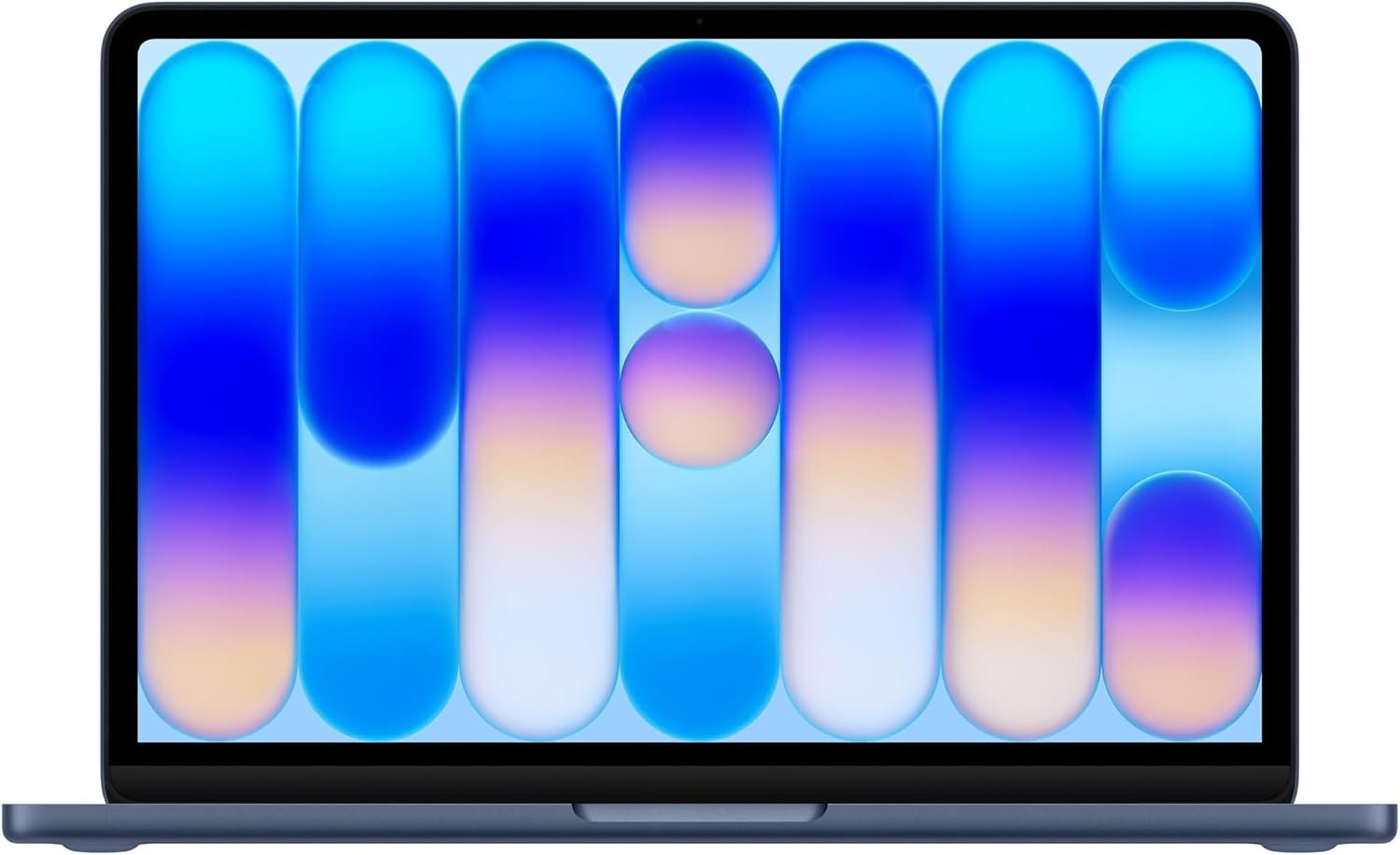
The MacBook Neo feels made for people who want a simple Mac. It has a 13-inch screen and a slim aluminum body. That makes it easy to carry from room to room.
The A18 Pro chip is the main part that caught my eye. It has a 6-core CPU, 5-core GPU, and 16-core Neural Engine. This gives the laptop a strong base for daily work and Apple Intelligence.
For web use, I found the setup more than enough. It can handle email, web pages, notes, video calls, and office work with ease.
The 13-inch Liquid Retina display is another key part. It has a 2408 x 1506 resolution and supports up to 1 billion colors. Text should look sharp, while photos and videos can look rich.
The screen also reaches up to 500 nits. That is a useful level for most indoor work. I would still avoid very bright outdoor light when using it.
The 8GB unified memory is fine for light tasks. It shares memory across the chip, graphics, and other system work. For basic use, that setup should feel smooth.
The 256GB SSD is where I would think twice. It gives enough room for normal files and apps, but large photo and video files can fill it fast.
The 1080p FaceTime HD camera is a nice fit for work calls and online classes. The dual-mic setup is also made to help keep voices clear.
The MacBook Neo can run for up to 16 hours of video streaming based on its listed battery rating. That gives it a useful edge for school days, travel, and long work sessions.
I also like the small size. The laptop weighs about 2.7 pounds. That is light enough for a bag without adding much weight.
The Indigo color gives this model a more fun look. Apple also offers other colors, but Indigo stands out more than the usual silver laptop.
The port setup is simple. There are two USB-C ports and a 3.5mm headphone jack. One USB-C port supports faster USB 3 speeds, while the other is slower USB 2.
Overall, I see this model as a daily Mac first. It is not built for heavy pro work. Its best use is writing, web use, calls, school work, light photo work, and other common tasks.
What I Like
- I like how light the 13-inch size feels in a daily bag.
- The A18 Pro gives this small Mac a good base for normal work.
- I found the Liquid Retina screen well suited for text, photos, and video.
- The 1080p camera makes it a better fit for online calls.
- The Indigo finish gives the laptop a fresh look without being too flashy.
What Could Be Better
- The 8GB memory may feel tight for heavy multitasking over time.
- The 256GB SSD can fill up fast if I keep lots of large files on the Mac.
- The small port count may mean using an adapter for some desk setups.
My Personal Experience with Apple MacBook Neo
I see the MacBook Neo as a laptop that fits well into a normal day. It is small enough to keep close without taking over my desk.
For writing, the 13-inch screen gives me enough space for notes, web pages, and documents. I would still choose a larger Mac if I often work with many windows at once.
For work from home, the light body is useful. I can move from my desk to the couch or kitchen without feeling like I am carrying a heavy computer.
Video calls are another good match. The 1080p camera gives this model a better starting point for Zoom, FaceTime, and other calls.
For school, I think the size makes sense. A student can carry it between class, home, and the library with little fuss.
The battery rating also makes it useful for days when I do not want to sit near a wall outlet. Apple lists up to 16 hours of video streaming, though real use will change that number.
I would use the MacBook Neo for email and web work without much concern. These are the kinds of jobs where its small size and fast chip make the most sense.
For light photo edits, the display is a nice match. The high pixel count and wide color support can make photos look clean and bright.
I would be more careful with video work. The A18 Pro can handle media tasks, but the 8GB memory and 256GB storage do not leave much room for large projects.
For AI tasks, the Neural Engine is an important part of the design. Apple built this Mac around Apple Intelligence and other AI features that can run on the device.
For travel, the 2.7-pound weight is one of the best parts for me. A smaller laptop can be much easier to use on a plane, in a cafe, or at a hotel.
For long-term use, I would think about storage before buying. My files tend to grow, and 256GB can become a real limit when photos, videos, and apps build up.
The MacBook Neo makes the most sense when I know what I need from it. It is a light daily Mac, not a replacement for every high-end Mac.
Comparing With Other Brands
I would compare the MacBook Neo with Windows laptops in the same price range before buying. Some Windows models offer more ports, larger screens, or more memory at a similar cost.
MacBook Neo vs Other Brands: Quick Comparison
For daily speed, the A18 Pro gives the MacBook Neo a strong setup for web work, writing, calls, and other common jobs. It is aimed more at smooth daily use than heavy desktop work.
For portability, the Neo has an edge because of its 13-inch size and 2.7-pound weight. Some larger Windows laptops may give more screen room but can be less easy to carry.
For screen quality, the Liquid Retina panel is one of the MacBook Neo’s nicer features. Its high resolution and support for 1 billion colors make it well suited for photos, text, and video.
For memory and storage, the 8GB and 256GB setup is less flexible. Buyers who keep many files or use heavy apps may want a model with more space and memory.
For AI use, the A18 Pro and Neural Engine give the Neo a clear focus on Apple Intelligence. That makes it more interesting for people who want Apple’s built-in AI tools.
For desk use, other laptops may offer more ports. The Neo has two USB-C ports and a headphone jack, so a hub may be useful for a larger home office setup.
Recommendation
I would recommend the Apple MacBook Neo to someone who wants a small Mac for everyday work. It is a good match for students, writers, office users, travelers, and people who mainly browse the web.
I would also look at it for a basic home office. The light body, sharp screen, camera, and battery life fit that role well.
I would research other Macs if I needed heavy video editing, large creative apps, or many apps open at once. The 8GB memory is the biggest reason I would do that.
I would also think hard about the 256GB SSD. If I keep most of my files in the cloud, that size may be fine. If I save lots of videos and photos on the laptop, I would want more space.
For US buyers, the listed base price has been around $599, but store prices can change. I would check the current price before ordering.
The MacBook Neo also works with standard US power. Its listed power range is 100V to 240V, so the power system is not a concern for normal US use.
My main advice is simple: buy it for light and medium daily work, not for a heavy pro setup. That is where this Mac makes the most sense.
FAQs for Apple MacBook Neo Reviews
Is the Apple MacBook Neo good for students?
Yes. I think its small size, low weight, battery life, and strong daily speed make it a good student laptop. It can handle writing, research, calls, notes, and web work with ease.
Is 8GB memory enough on the MacBook Neo?
8GB is enough for many basic tasks. I would be more careful if I planned to run many heavy apps at the same time. Buyers who want more room for future use should look at higher memory options when available.
Is 256GB storage enough for a MacBook Neo?
It can be enough for web use, school work, and normal files. Large photo and video collections can use that space fast. I would use cloud storage or an external drive if I needed more room.
How good is the MacBook Neo display?
The 13-inch Liquid Retina display has a 2408 x 1506 resolution and supports 1 billion colors. I think it is a strong fit for text, photos, streaming, and everyday work.
Is the MacBook Neo good for work from home?
Yes. I see it as a good fit for email, documents, web work, video calls, and light office tasks. Its small size also makes it easy to move around the home.
Does the MacBook Neo have good battery life?
Apple lists up to 16 hours of video streaming. Real battery time will depend on apps, screen brightness, network use, and other tasks. Heavy work can also lower battery life.
Is the Apple MacBook Neo good for Apple Intelligence?
Yes. The A18 Pro chip includes a 16-core Neural Engine and is built to support Apple Intelligence. This makes the Neo a good choice for people who want Apple’s built-in AI features.
Conclusion
After looking closely at the Apple 2026 MacBook Neo, I think it is best for simple daily work, school, travel, and home office use. The A18 Pro chip, sharp Liquid Retina display, light body, and long battery rating are its main strengths. The 8GB memory and 256GB SSD are the two limits I would consider before buying. If I wanted a small Mac for normal work and Apple Intelligence, the MacBook Neo would be on my list.