
I wanted a big screen without a big TV. The HAPPRUN H1 uses native 1920 x 1080 video and can show a large picture. My take is simple: it fits dark-room movie nights well, but bright rooms are not its strong point. Here is what stood out to me after looking at its key features and use cases.
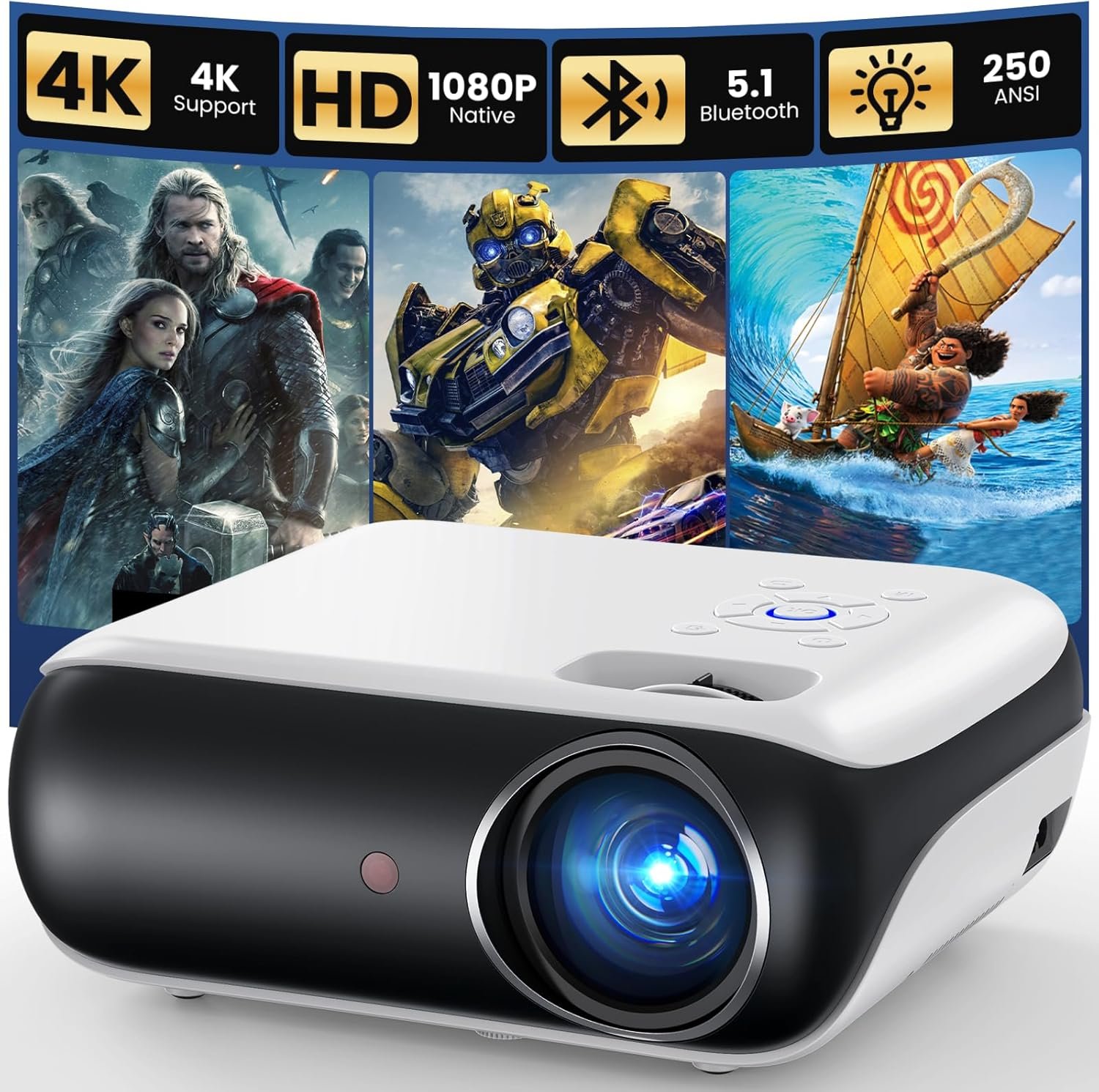
HAPPRUN Native 1080P Projector Review
The HAPPRUN H1 is made for simple home fun. It has native 1080p video, built-in sound, Bluetooth 5.1, HDMI, USB, and a 3.5mm audio port.
It can make a 40 to 200-inch image. That gives you a lot of room to set the size you want. You can use it in a room, bed room, or back yard.
The 1080p part is one of the main things I like. Native 1920 x 1080 means the image is made at Full HD. This can give text and movie scenes more detail than many low-cost 720p units.
The H1 also has a 60 Hz refresh rate. That can work well for shows, films, sports, and casual games.
The projector is not very small, but it is still easy to move from room to room. It weighs about 4.5 pounds. It can sit on a desk, table, tripod, or ceiling mount.
One key point is room light. This projector is much better when the room is dark or dim. I would not pick it for a room with strong sun or bright lamps.
The built-in stereo sound is handy for quick use. Still, I would use a sound bar, speaker, or headphones when sound matters more.
Bluetooth 5.1 is made for audio gear. It is not a way to mirror your phone screen. For phone video, you may need an HDMI adapter or a streaming device.
What I Like
- I like the native 1080p image for the price range.
- The large image size gives movie night a fun feel.
- HDMI and USB ports make it easy to use with many devices.
- Bluetooth can help when I want to use outside sound.
- The 110V power spec fits normal USA home use.
What Could Be Better
- Bright rooms can wash out the image.
- The built-in sound is fine for small use, but it is not rich like a good speaker.
- Phone use may need an extra adapter, so the setup is not fully cable-free.
My Personal Experience with HAPPRUN H1
When I think about a projector like this, I first look at the room. A dark room lets the picture stand out much more. That makes this HAPPRUN a better fit for night use than day use.
For a bed room, the size can be fun. A wall can become a large screen for a film or show. The 16:9 mode also fits most wide video well.
For movie night, native 1080p is a key plus. It gives the H1 a clear place in the budget projector market. I would still keep the room dark for the best view.
For a back yard setup, timing matters. I would use it after the sun goes down. The large image can make a simple wall or screen feel like a small movie spot.
For sports, the 60 Hz rate is useful for normal TV and sports clips. I would keep the image size at a level that still looks sharp from my seat.
For games, HDMI support makes the setup simple with a game system. The H1 lists support for systems such as the PS5. For fast games, I would use a wired audio setup if sound delay from Bluetooth becomes an issue.
For a laptop, the HDMI port gives me a simple way to send video to the projector. This can work well for films, slides, photos, and other big-screen tasks.
For streaming, I would add a Fire TV Stick, Roku, or another streaming device. The projector itself is not a full smart TV. That means the extra device does the work for apps and streams.
For phone use, I would plan ahead. The H1 can work with phones, but the right HDMI adapter may be needed. Bluetooth does not replace the video link.
For sound, the built-in speakers are useful when I want a fast setup. If I am watching a long film, I would rather use better outside sound for a fuller feel.
For setup, I would place the H1 on a firm and level spot. The unit has manual focus and vertical keystone help. A good spot can make the picture easier to line up.
For cleaning, the lens area should be kept free of dust. That is a small task, but it can help keep the picture clear over time.
Overall, I see the HAPPRUN H1 as a simple big-screen tool. It makes the most sense when the room is dark and the goal is fun home viewing. It is not a full TV replacement for every room.
Comparing With Other Brands
I also look at the HAPPRUN H1 next to other low-cost projector brands. Many budget units look alike at first. The key is to check the real video size, ports, sound, and setup needs.
HAPPRUN vs Other Budget Projectors
Picture: The HAPPRUN H1 uses native 1920 x 1080 resolution. That is a useful point when compared with cheaper units that use a lower native panel and only accept a 1080p signal.
Setup: The H1 uses manual focus and manual keystone help. This gives me more control, but it also means I need to spend a little time getting the image right.
Sound: The built-in speakers make quick viewing easy. Still, an outside speaker can give a better sound feel for films and outdoor use.
Use: The HAPPRUN works well with HDMI devices, USB media, game systems, and streaming sticks. It is more of a plug-in screen tool than a smart TV.
Recommendation
I would look at the HAPPRUN H1 if I wanted a large screen for movie nights without paying for a large TV.
It can suit a bed room, small home theater, dorm room, or night-time back yard setup. I would also look at it for casual gaming with an HDMI link.
I would think twice if my room stays bright all day. A low-cost projector like this needs good light control to show its best picture.
I also would not buy it with the idea that it has built-in streaming apps like a smart TV. A Fire TV Stick, Roku, or other device may be needed.
For USA buyers, the listed voltage is 110V. The H1 also has HDMI, USB, and a 3.5mm audio connection. Those ports make it easy to fit into a basic home setup.
My main advice is to plan the room first. If you can make the room dark, this projector has a much better use case. If you need a bright daytime picture, I would research brighter models before buying.
FAQs for HAPPRUN Native 1080P Projector
Is the HAPPRUN H1 really 1080p?
Yes. The HAPPRUN H1 lists a native 1920 x 1080 resolution. That means its main display panel is Full HD.
Is HAPPRUN good for movies?
It can be a good fit for movie use in a dark room. The large image and native 1080p picture suit night movie time well.
Can I use the HAPPRUN H1 with a PS5?
Yes. The product lists PS5 among its supported devices. An HDMI cable can be used for the video link.
Does the HAPPRUN projector have Bluetooth?
Yes. It has Bluetooth 5.1. The Bluetooth feature is for audio devices such as speakers and headphones, not phone screen mirroring.
Can I connect my phone to the HAPPRUN projector?
Yes, but the phone may need an HDMI adapter. The needed adapter can depend on the type of phone you use.
Can I use this projector outside?
Yes. The H1 is listed for outdoor use. For the best picture, I would use it after dark and keep the screen away from strong lights.
Does it work with Fire TV Stick?
Yes. The H1 is made to work with TV sticks such as Fire TV Stick and Roku. A streaming stick can give you access to apps that are not built into the projector.
Conclusion
The HAPPRUN Native 1080P Projector is made for people who want a big screen at a low cost. I like its native 1080p video, wide device support, and Bluetooth audio option. Its main limit is room light, so I would plan to use it in a dark or dim space. If that fits your needs, the HAPPRUN H1 is a simple way to bring a large movie screen into your home.