
If your Wi-Fi drops in some rooms, the TP-Link Deco X55 may help. I like its mesh setup and wide home coverage.
I looked at the Deco X55 3-Pack to see how it fits real home use.
It is made for busy homes with many phones, TVs, laptops, and smart devices.
Here is my honest take on the TP-Link Deco X55 AX3000 WiFi 6 Mesh System.
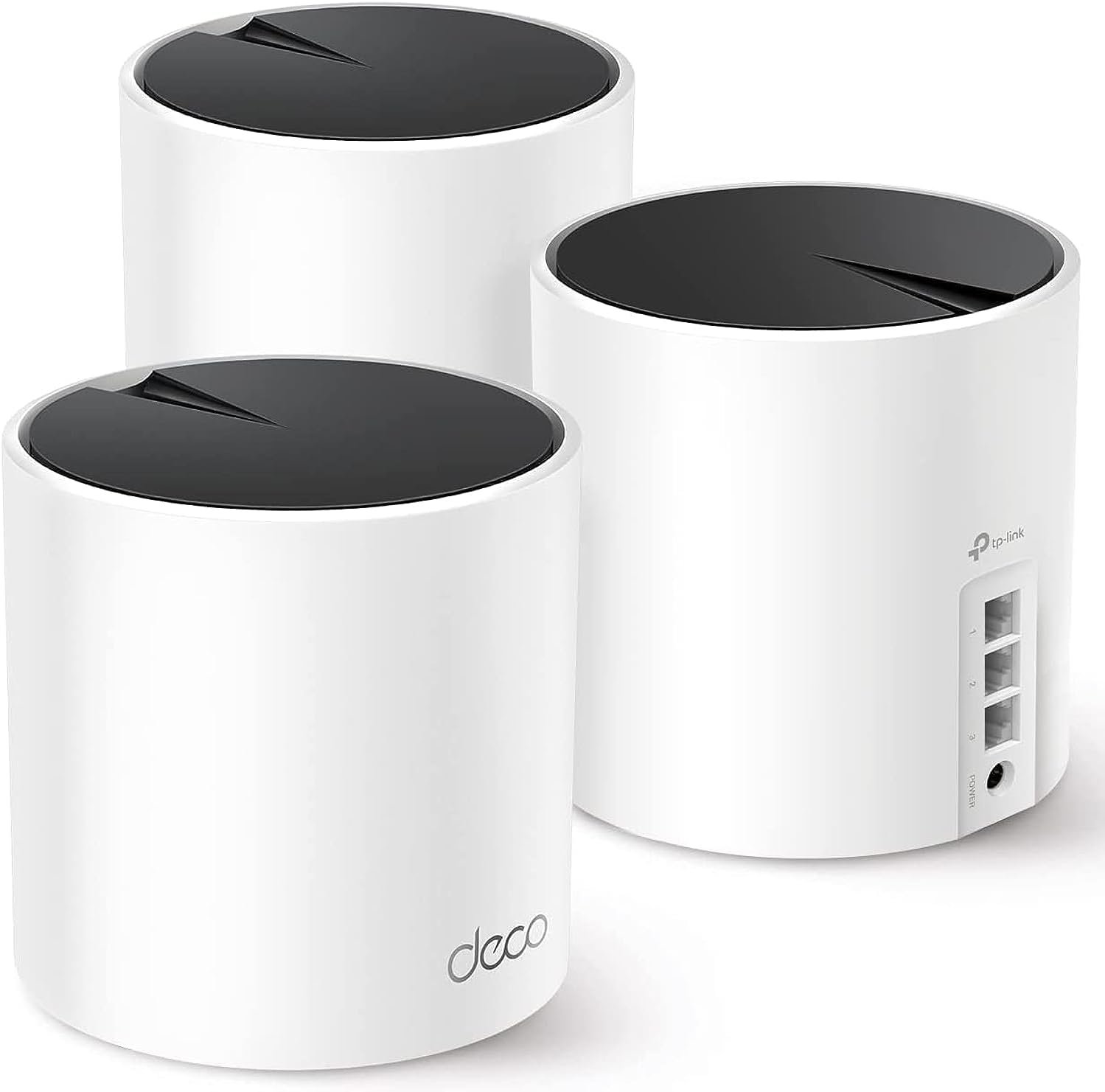
Product Review
The TP-Link Deco X55 is a Wi-Fi 6 mesh system. This 3-pack is made to spread Wi-Fi across a large home.
Each unit works with the others. Together, they form one Wi-Fi network. I like this more than using many separate Wi-Fi names around the house.
The system uses Wi-Fi 6. This newer Wi-Fi type can handle many devices at once. That can be useful in a busy home.
TP-Link rates the Deco X55 for speeds up to AX3000. It can reach up to 2,402 Mbps on the 5 GHz band and up to 574 Mbps on the 2.4 GHz band under ideal lab conditions.
Those numbers are much higher than what most homes will see in daily use. Your real speed will depend on your internet plan, walls, device, and network setup.
The 3-pack is also built for larger homes. TP-Link lists coverage of up to 6,500 square feet for a three-unit setup.
I would not treat that number as a promise for every house. Thick walls, floors, and other Wi-Fi signals can reduce the range.
The setup is one of the parts I like most. The Deco app guides you through the main steps. I can add the units and manage the network from my phone.
The system also supports wired connections. Each Deco unit has three Gigabit Ethernet ports. That gives me more ways to connect devices that work better with a cable.
The X55 can also work with a wired backhaul. In simple terms, the Deco units can use Ethernet to talk to each other. This can help keep the mesh link fast and steady.
I also like the built-in security tools. TP-Link includes HomeShield features for network safety and device control. Some advanced HomeShield tools may need a paid plan.
The Deco X55 can also work with other Deco models. That gives me room to add more Deco units later if my home needs more coverage.
One thing I would keep in mind is that the X55 is not a top-end Wi-Fi 6E or Wi-Fi 7 system. If you have very fast internet and newer devices, you may want a newer system.
For most normal home use, though, the Deco X55 has a good mix of speed, range, and simple setup.
Pros
- Wi-Fi 6 helps with many connected devices.
- The 3-pack can cover a large home.
- The Deco app makes setup simple.
- Each unit has three Gigabit Ethernet ports.
- Wired backhaul is supported.
- The mesh uses one main Wi-Fi network.
Cons
- The best speeds need good placement and strong signal.
- Some HomeShield features require a paid plan.
- It lacks newer Wi-Fi 6E and Wi-Fi 7 features.
- Large homes with thick walls may need a different layout.
My Personal Experience with TP-Link Deco X55
The first thing I notice with a mesh system is not the speed number. It is how easy it is to get a stable signal around the home. That is where the Deco X55 makes sense to me.
I like having one network name instead of switching between different routers as I move from room to room.
For a home office, the X55 has a useful setup. A laptop can stay connected while I move around the house. That can help when I need to leave my desk during a work call.
Streaming is another area where a mesh system can help. A TV in a room far from the main router does not have to rely on the same weak signal from one box.
I also like the idea of using Ethernet for fixed devices. A desktop PC, game console, or smart TV can use a cable while phones and tablets stay on Wi-Fi.
The three-unit setup gives me more choice when placing the network. I can put one unit near the modem and use the others in parts of the home where the signal needs help.
Placement still matters. I would not hide a Deco unit behind a TV or inside a cabinet. Open space usually gives the wireless signal a better path.
The X55 also makes sense for homes with lots of smart gear. Phones, tablets, cameras, TVs, speakers, and other devices can all share the network.
I would not expect the full AX3000 rating on every device. Most phones and laptops will use only part of the total wireless capacity.
Another thing I like is the app-based control. It gives me a simple way to see and manage the home network without opening a web page on a computer.
The Ethernet ports are also handy. Three ports per unit give me more room for wired devices without needing a switch right away.
For a large American home, the 3-pack can be a good fit when one router cannot reach every room well. I would still check the home layout before choosing it.
I also think internet speed matters. If my internet plan is slow, a faster mesh system will not make that plan faster.
Overall, I see the Deco X55 as a practical choice for people who want better home coverage without dealing with a complex network setup.
Comparing With Other Brands
I have also looked at mesh systems from brands such as eero, ASUS, and Google. Each brand takes a slightly different path.
The Deco X55 stands out to me for its mix of Wi-Fi 6 speed, Ethernet ports, and large-home coverage. It gives me more control than some very basic mesh kits.
TP-Link Deco X55 vs Other Mesh Systems
For coverage, the X55 3-pack is aimed at large homes. The three units give me more placement options than a single router.
For wired use, I like the three Gigabit ports on each unit. This can be useful when several fixed devices need a cable.
For ease of use, the Deco app keeps the setup simple. I do not need to be a network expert to get the main system running.
For features, HomeShield adds tools for device control and network safety. Some extra features come with a paid plan, so I would check what I really need.
For future use, I like that the Deco system can be expanded with other compatible Deco units. That can help if my home setup changes later.
Recommendation
I would recommend the TP-Link Deco X55 3-Pack to people who need better Wi-Fi coverage across a large home.
It makes the most sense for homes with many connected devices. It is also a good match for people who want simple app control instead of a complex router setup.
For a home office, I like the mix of wireless coverage and wired ports. A work PC can use Ethernet while phones and laptops use Wi-Fi.
I would do more research if I had a very fast internet plan and newer Wi-Fi 6E or Wi-Fi 7 devices. A newer mesh system may make more sense in that case.
I would also compare the 3-pack with a 2-pack if my home is smaller. Three units may be more than I need.
For USA buyers, I would check the current Amazon price and delivery option before buying. Prices can change, and Amazon Prime availability can vary by seller and location.
My main advice is simple: choose based on your home size, wall layout, internet plan, and number of devices. Do not buy it only because the AX3000 number looks high.
FAQs for TP-Link Deco X55 Reviews
Is the TP-Link Deco X55 good for a large home?
Yes, the 3-pack is designed for large home coverage. The listed coverage is up to 6,500 square feet under ideal conditions. Real coverage can be lower due to walls and other factors.
Is Deco X55 Wi-Fi 6?
Yes. The TP-Link Deco X55 uses Wi-Fi 6. This helps the system handle many connected devices more efficiently.
How fast is the Deco X55?
The Deco X55 has an AX3000 rating. Its rated combined wireless speed is up to 2,402 Mbps on 5 GHz and 574 Mbps on 2.4 GHz. Real speeds will vary.
How many Ethernet ports does Deco X55 have?
Each Deco X55 unit has three Gigabit Ethernet ports. You can use them for wired devices or for a wired connection between Deco units.
Can I use Ethernet backhaul with Deco X55?
Yes. The Deco X55 supports Ethernet backhaul. This lets compatible Deco units use a wired link to connect with each other.
Does Deco X55 work with other Deco models?
Yes. The Deco X55 can be part of a Deco mesh network with compatible Deco models. I would check model support before mixing units.
Is TP-Link Deco X55 worth buying?
I think it is worth considering if your main goal is wider Wi-Fi coverage and easy setup. If you want the newest Wi-Fi features, I would compare it with newer Wi-Fi 6E and Wi-Fi 7 systems first.
Conclusion
The TP-Link Deco X55 3-Pack is a solid mesh option for a large home with many connected devices. I like its Wi-Fi 6 support, three Ethernet ports per unit, and simple app setup. It is not the newest mesh system on the market, but it still offers a useful mix of range and speed. If you need better coverage without a hard setup, the Deco X55 is one I would keep on my list.