
I tested the Amazon eero 6 mesh WiFi add-on extender to see if it is a smart way to fix weak WiFi spots at home. It can add up to 1,500 sq. ft. of WiFi 6 coverage, but it is not a stand-alone router. You need an eero mesh WiFi system first.
I like how small and simple this unit is. It also works with the eero app, so setup feels less hard than with many home network devices.
After looking at its key features, limits, and real use cases, I think it is best for eero users who need more room coverage without changing their whole network.
Product Review
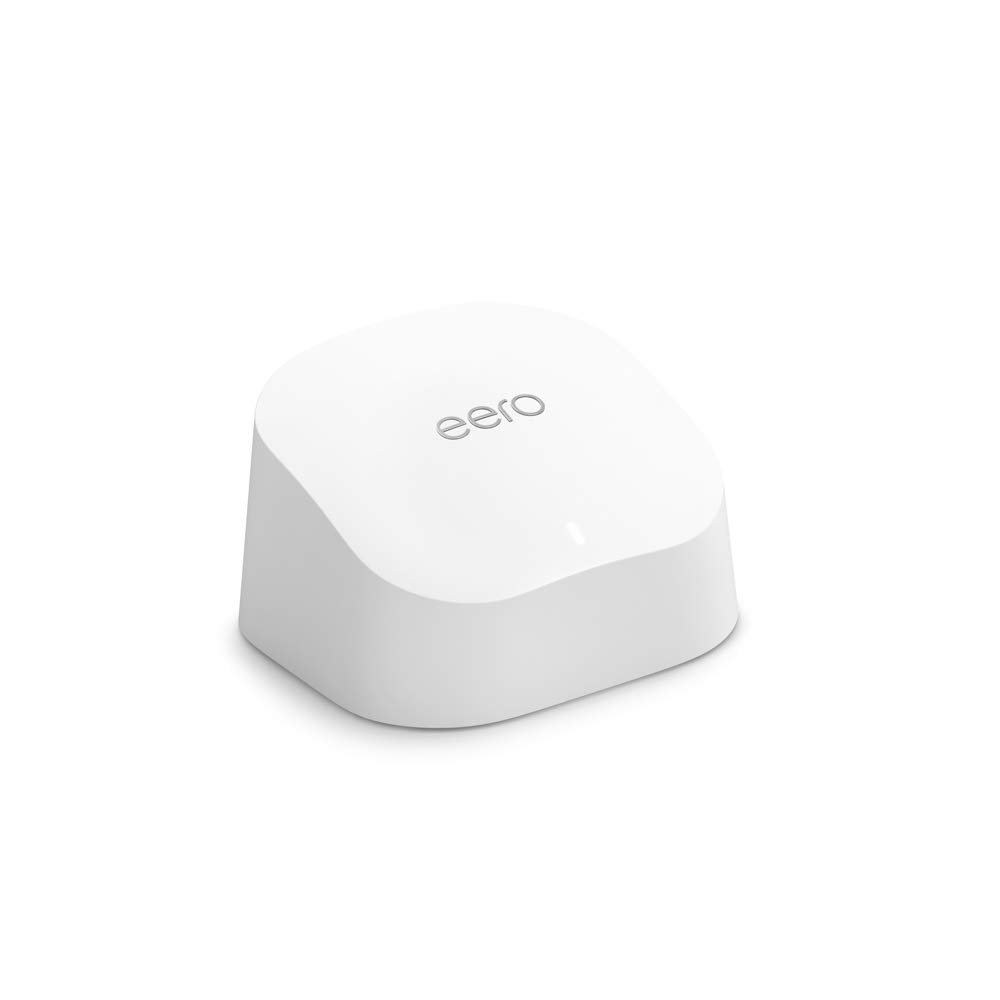
The Amazon eero 6 mesh WiFi add-on extender is made to add more space to an eero 6 network. It is not the main router. It needs a working eero mesh system to do its job.
The main goal is simple. You place the extender in an area where your current eero signal can still reach it. It then helps spread the network to more parts of your home.
eero lists up to 1,500 square feet of added wireless coverage for each eero 6 Extender. Real range can change based on walls, floors, room size, and other WiFi signals.
This model uses WiFi 6. It has dual-band WiFi with 2.4 GHz and 5 GHz bands. That gives it a good fit for many homes with phones, TVs, laptops, tablets, and smart home gear.
One thing I like is the small size. The unit is about 3.91 x 3.82 x 2.42 inches. It does not need much space, so I can place it on a shelf or other open spot with ease.
The setup is also meant to be simple. The eero app helps add the new unit to the current mesh network. I do not need to build a new WiFi name just for the extender.
That is a big plus for daily use. I can move around the home and stay on the same eero network instead of picking a new network by hand.
The extender can support more than just a few devices. eero rates the eero 6 line for 75+ connected devices. That can be useful in a busy home with many smart devices.
There is one key limit, though. This extender has no Ethernet ports. So I cannot use a wired network cable with this unit.
That means it is best for people who want to add wireless range. If I need wired ports in a far room, I would look at a different eero model.
The eero 6 also supports automatic software updates. This means the unit can get new fixes and improvements without me having to update it by hand.
For a USA home, the power setup is also easy. The eero 6 uses a standard power adapter and supports 100–240V AC, 50–60 Hz.
What I Like
- I like that it adds up to 1,500 sq. ft. of extra wireless space.
- The small body is easy to fit into a room.
- The eero app keeps setup and network control in one place.
- WiFi 6 makes it a good match for newer phones and laptops.
- I can add it to an existing eero network instead of starting over.
What Could Be Better
- I cannot use this unit as a stand-alone WiFi router.
- There are no Ethernet ports for wired devices.
- It may not make sense for people who do not already own an eero system.
My Personal Experience with Amazon eero 6 Mesh WiFi Add-On Extender
The first thing I would check is my current eero setup. This product is an add-on, so I would not buy it as my first WiFi unit.
For a home with one weak room, this can be a much simpler fix than replacing the whole network. I like that I can add one more unit only when I need it.
I also like the idea for a home office. A weak signal can make video calls drop or slow down. Adding another mesh point can help bring the network closer to the desk.
For a bedroom at the far end of a home, the extender can also make sense. The goal is to give that room a better path back to the main eero network.
I would pay close attention to placement. Putting the extender too far from the main eero may not give good results. A mesh point still needs a useful signal from the network.
The 1,500 sq. ft. number also needs some care. I would not expect every home to get that exact range. Thick walls, more floors, and other signals can reduce the real area.
For streaming, I see this as a useful add-on when the main network already works well. It can help bring the WiFi signal to rooms that sit outside the best part of the home.
For a smart home, having one eero network can also be handy. Phones, lights, cameras, TVs, and other devices can stay on the same home network.
I like the app-based setup for another reason. I do not want to spend a long time changing network settings. The eero app is built to guide the setup process.
The lack of Ethernet is the main trade-off for me. If I wanted to plug in a game console, desktop PC, or other wired device near the extender, this model would not give me that option.
I would also think about speed needs. WiFi 6 is still a good fit for many homes, but newer WiFi 6E and WiFi 7 gear can offer features this older eero 6 platform does not have.
For most basic home use, that may not matter much. For a new high-speed network, I would compare newer eero options before spending money.
Overall, I see this unit as a focused fix rather than a full network upgrade. It makes the most sense when my current eero system works well and I only need more reach.
Comparing With Other Brands
I have also looked at other mesh WiFi systems from brands such as TP-Link, ASUS, and NETGEAR. They offer many choices for homes of different sizes and speed needs.
The eero 6 stands out to me because the system is built around easy setup. It is less about changing many settings and more about getting the network running with less work.
eero 6 vs Other Mesh WiFi Brands
For setup, eero has a clear edge for people who want a simple app-based process. I can add another eero unit without creating a separate extender network.
For wired use, some rival mesh systems give more ports on their satellite units. The eero 6 Extender has no Ethernet port, so wired users should keep that in mind.
For coverage, eero rates this extender for up to 1,500 sq. ft. of added wireless space. The real result will depend on the home layout and where I place the unit.
For speed, WiFi 6 is enough for many homes, but it is not the newest WiFi standard. If I were building a new high-end network today, I would compare WiFi 6E and WiFi 7 systems as well.
For ease of use, I think eero makes the strongest case. It is a good fit for someone who wants to solve WiFi dead spots without spending hours learning network settings.
Recommendation
I would recommend the eero 6 Extender to someone who already has an eero mesh system and needs more WiFi reach.
It makes the most sense for a home with one or more rooms where the current signal is weak. A home office, upstairs room, bedroom, or back room could all be good places to consider an extra mesh point.
I would not recommend buying this as your first WiFi device. The product needs a compatible eero setup, so a new buyer should look at a full eero system instead.
I would also think twice if I need Ethernet in the added room. Since this extender has no Ethernet ports, it is made for wireless expansion.
For USA buyers, I would check the current Amazon price before ordering. Prices can change, and newer eero models may sometimes be close enough in price to deserve a look.
I would also check my internet plan before chasing faster WiFi gear. If my internet speed is modest, I may not gain much from paying more for a newer system.
FAQs for Amazon eero 6 Mesh WiFi Add-On Extender Reviews
What is the Amazon eero 6 mesh WiFi add-on extender?
It is a wireless mesh unit that adds coverage to an existing eero network. It is not a stand-alone router. You need a compatible eero mesh WiFi system to use it.
How much coverage does the eero 6 extender add?
eero rates the extender for up to 1,500 sq. ft. of added wireless coverage. Your real range can be lower or higher based on walls, floors, room layout, and signal noise.
Does the eero 6 extender need an eero router?
Yes. This product is an add-on unit. It needs a working eero mesh WiFi system.
Does the eero 6 extender have Ethernet ports?
No. The eero 6 Extender is a wireless-only unit. It does not have Ethernet ports for wired devices.
Can I use the eero 6 extender with WiFi 6?
Yes. The eero 6 line uses WiFi 6. The extender is made to expand an eero WiFi 6 mesh network.
Is the eero 6 extender good for a home office?
It can be a good fit when the office has a weak eero signal. More coverage can help laptops and other wireless devices stay connected. Placement still matters.
Is the eero 6 extender worth buying?
I think it can be worth it if you already own an eero system and need more range. If you are starting from zero, I would compare full eero kits instead.
Conclusion
The Amazon eero 6 mesh WiFi add-on extender is a simple way to add up to 1,500 sq. ft. of wireless coverage to an eero network. I like its small size, WiFi 6 support, and easy app-based setup. The lack of Ethernet ports is the main drawback I would keep in mind. For an existing eero user with weak spots at home, this extender is a sensible way to add more reach without replacing the whole network.