
I tested the Deco 7 Pro Tri-Band WiFi 7 BE10000 Whole Home Mesh System to see if it can fix weak Wi-Fi at home. I found that it is made for busy homes with many devices and fast internet. The three-band setup gives it more room to handle daily traffic. If you want fast Wi-Fi across a large home, this is a strong option to look at. Here is what stood out to me.
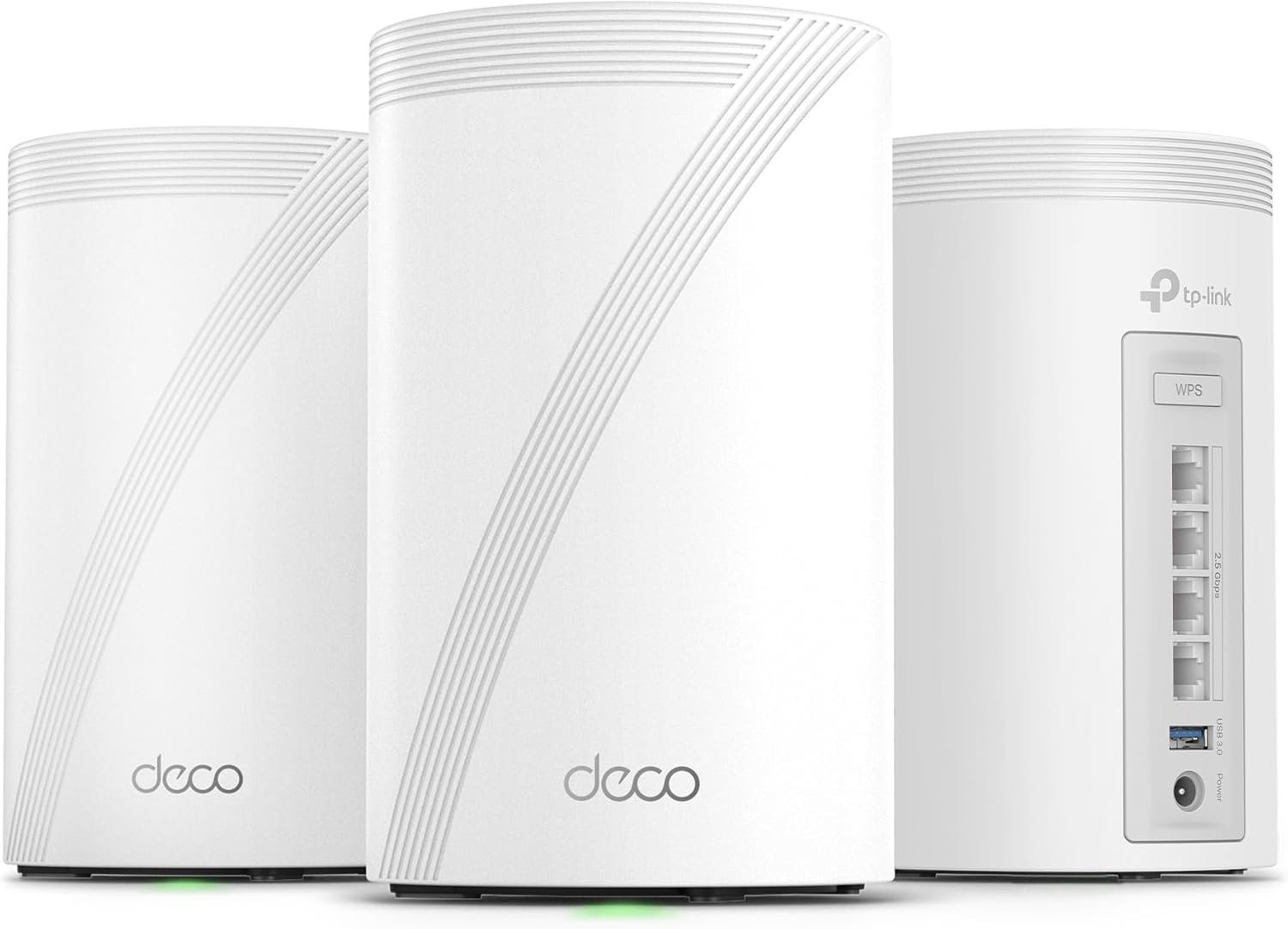
Product Review
The TP-Link Deco 7 Pro BE63 is a Wi-Fi 7 mesh system for whole-home use. It uses three Wi-Fi bands. These are 2.4 GHz, 5 GHz, and 6 GHz.
The system has a total Wi-Fi speed rating of up to BE10000. That number is a total across all three bands. It does not mean one phone will get 10 Gbps over Wi-Fi.
I like the 6 GHz band for newer devices. It gives compatible phones, laptops, and other gear a clean space to connect. This can help when many devices are online at once.
The Deco 7 Pro also has 6 streams. This gives the system more room to serve many devices at the same time.
One of my favorite parts is the mesh design. I can place the Deco units in more than one room. The units then work as one Wi-Fi network. I do not need to keep switching networks as I move around the house.
The BE63 can cover up to 3,000 square feet with one unit. A two-pack can cover more space. The real range will still depend on walls, floors, and where I place each unit.
I also like the wired ports. Each unit has 2.5 Gbps WAN/LAN ports. That gives me a good way to connect a PC, game system, smart TV, or other wired device.
The system also supports 320 MHz channels. This feature can help newer Wi-Fi 7 devices get more room for data.
Another useful feature is Multi-Link Operation, or MLO. In simple terms, Wi-Fi 7 can use more than one link in some cases. This can help with speed and a steady connection when the device also supports it.
I found the Deco app easy to use for basic setup. It also lets me manage the network from my phone. This is helpful if I do not want to spend a lot of time with router menus.
The system can also work with other Deco units. That gives me room to add more coverage later if my home needs it.
For a busy US home, this setup makes the most sense when I have many connected devices and a fast internet plan. If my internet plan is slow, I may not notice the full value of a BE10000 system.
What I Like
- I like the 6 GHz band for newer Wi-Fi 7 devices.
- The mesh setup helps me cover more rooms with one network.
- The 2.5 Gbps ports give me good wired speed.
- I can connect many devices without relying on one small router.
- The Deco app makes basic network setup simple.
What Could Be Better
- I may not see the full speed benefit without Wi-Fi 7 devices.
- A fast mesh system can be more than a small home needs.
- Some extra security and control tools may need a paid HomeShield plan.
My Personal Experience with TP-Link Deco 7 Pro
The first thing I noticed is that this system is aimed at homes with a lot going on. It is not just for one laptop and one phone. It makes more sense when I have TVs, phones, cameras, game systems, smart lights, and other gear online.
For work from home, I like the idea of having a strong mesh link in more than one part of the house. I can move my laptop to another room without needing to find a new Wi-Fi network.
For video calls, a steady link matters more to me than a huge speed number. A good mesh setup can help keep my laptop connected as I move around the home.
Gaming is another area where I see value. The 6 GHz band can give newer gaming devices a less crowded path. Of course, my internet plan and game server still affect my real ping.
I also like the wired ports for my main desk. If I have a desktop PC or work setup near a Deco unit, I can use Ethernet instead of Wi-Fi.
For streaming, the extra network space can help when several people are watching different shows at the same time. One person can stream while another works and another plays a game.
The system also fits a smart home well. I can have many small devices online while still keeping phones and laptops on the main network.
I would not buy it only because the box says BE10000. Most homes will not pull 10 Gbps to one device. The rating is better viewed as the total capacity of the system.
I also would not expect older phones to suddenly become Wi-Fi 7 devices. Older Wi-Fi gear can still connect, but it cannot use every new Wi-Fi 7 feature.
Placement still matters in my view. A mesh unit hidden behind a TV or placed far from the main unit may not work as well as one placed in an open spot.
For a large two-story home, I would think about where each unit will sit before buying. Good placement can make a big difference.
For a smaller apartment, I would take a closer look at a cheaper system first. The Deco 7 Pro may be more network than I need.
Overall, I see this system as a better fit for a busy home than a basic single router. It gives me more room to grow as more devices join my network.
Comparing With Other Brands
I have also looked at other mesh systems from brands such as ASUS, eero, and NETGEAR. Each one takes a slightly different path.
Some focus more on simple setup. Others give me more network controls. The Deco 7 Pro sits between those ideas by giving me a simple app while also offering strong hardware.
Deco 7 Pro vs Other Mesh Brands
For speed, the Deco 7 Pro has a clear focus on Wi-Fi 7. Its tri-band setup and 6 GHz band make it a good match for newer devices.
For coverage, mesh is the main reason I would choose it over a normal single router. I can place units around the home instead of asking one box to reach every room.
For wired use, the 2.5 Gbps ports are useful. They give me more room for fast local devices than older 1 Gbps ports.
For ease of use, I like the Deco app. It keeps the basic setup simple. People who want deep network control may still prefer a more advanced router system.
For price, I would compare the full kit cost with my home size and internet plan. A high-end mesh system is not always the best buy for a small home.
Recommendation
I would recommend the Deco 7 Pro BE10000 to people with large or busy homes. It makes the most sense if I have many devices, a fast internet plan, and some newer Wi-Fi 7 gear.
I would also look at it for a home office. The mesh setup can help give more rooms a better link without using a separate network name in each room.
For gamers, I think it is worth a closer look if the gaming PC or console supports newer Wi-Fi. A wired connection is still my first choice when possible.
I would do more research if I live in a small apartment. A less costly router may do the job just as well.
I would also check my internet plan before buying. If I only pay for a low-speed plan, I may not get much from a BE10000 system.
For US buyers, I would also check the current Amazon price and pack size before ordering. A two-pack or three-pack can make more sense than a single unit in a larger home.
My main advice is simple: buy this for coverage, device load, and future use, not just for the BE10000 number.
FAQs for Deco 7 Pro Tri-Band WiFi 7 BE10000 Whole Home Mesh System 6-Stream 10 Gbps Reviews
Is the Deco 7 Pro a good Wi-Fi 7 mesh system?
Yes, I think it is a strong choice for a busy home. It has three bands, Wi-Fi 7 support, 6 streams, and 2.5 Gbps wired ports. It is best suited to homes that can make use of those features.
What is the Wi-Fi speed of the Deco 7 Pro?
The system has a total rating of up to BE10000. This is the combined class rating for its Wi-Fi bands. A single device will not normally get 10 Gbps over Wi-Fi.
Does Deco 7 Pro support 6 GHz Wi-Fi?
Yes. The Deco 7 Pro has a 6 GHz band. Newer Wi-Fi 6E and Wi-Fi 7 devices can use this band when supported.
How much area can the Deco 7 Pro cover?
A single Deco 7 Pro unit is rated for up to 3,000 square feet. Actual coverage can change based on walls, floors, furniture, and unit placement.
Is the Deco 7 Pro good for gaming?
Yes, it can be a good fit for gaming. Newer gaming devices can use Wi-Fi 7 features and the 6 GHz band. For the lowest and most stable ping, I would still use Ethernet when I can.
Does the Deco 7 Pro work with older Wi-Fi devices?
Yes. Older Wi-Fi devices can still connect to the network. They just cannot use features that their own Wi-Fi hardware does not support.
Is the Deco 7 Pro worth buying?
I think it is worth considering for a large home with many devices and fast internet. For a small home or a slow internet plan, I would compare cheaper options before buying.
Conclusion
The Deco 7 Pro Tri-Band WiFi 7 BE10000 Whole Home Mesh System is built for homes that need more than basic Wi-Fi. I like its 6 GHz band, mesh coverage, 2.5 Gbps ports, and support for many devices. I would choose it most often for a large home, busy family, or home office with newer Wi-Fi gear. If my home is small, I would look at cheaper choices first.