
I wanted a simple way to keep my laptop cooler during long work days. The Havit HV-F2056 stood out for its slim build and three fans. I also liked that it fits 15.6 to 17-inch laptops. After looking at its build, setup, and daily use, I found it best for basic work and light gaming. In short, the Havit HV-F2056 is a simple cooling pad for large laptops.
Product Review
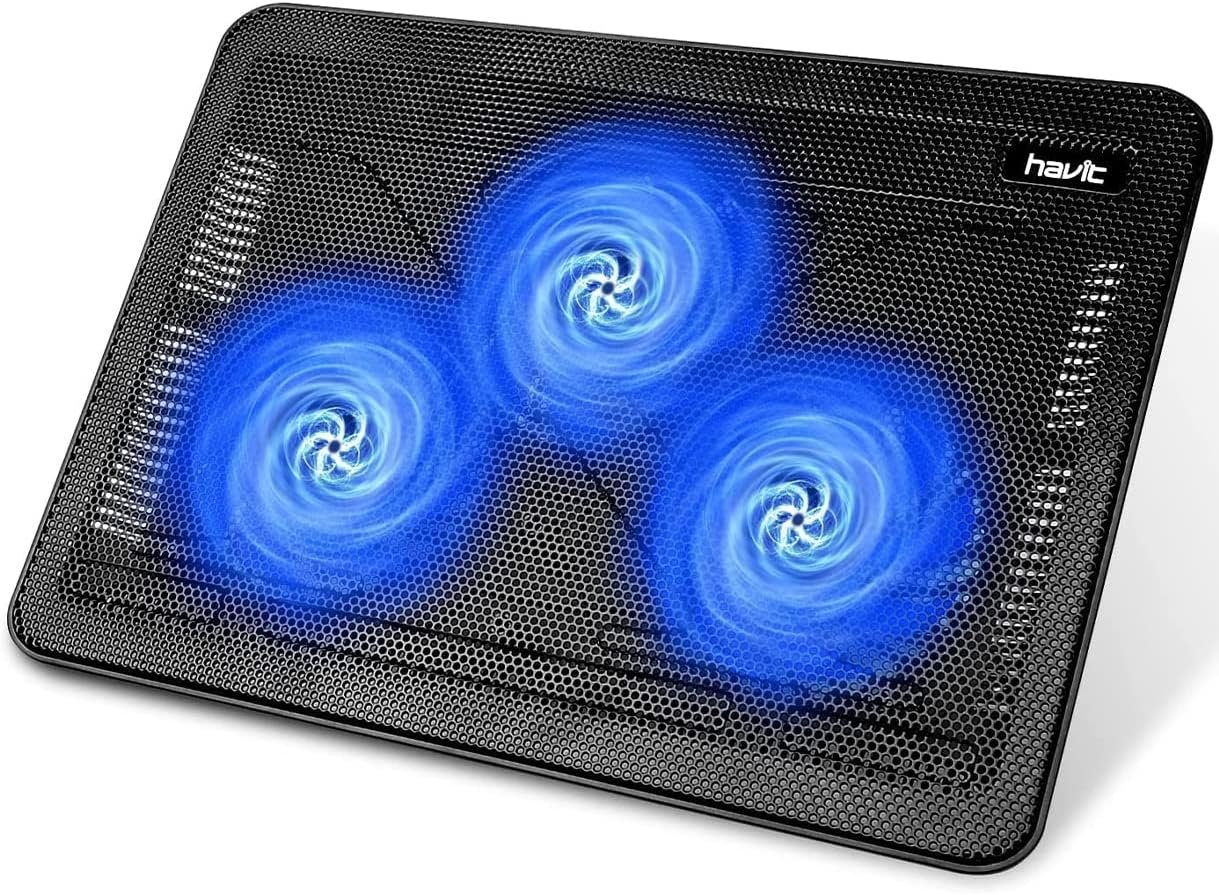
The Havit HV-F2056 is a USB laptop cooling pad made for 15.6 to 17-inch laptops. It has three large fans under a metal mesh top. The fans push air toward the bottom of the laptop.
I like the simple design. There are no complex controls to learn. I connect the pad to my laptop with the included USB cable and turn it on.
The pad uses three 110 mm fans. They are made to move air across a wide area. This is useful for larger laptops that need more room for air to pass under them.
The cooling pad also has a slim shape. It is about 1.1 inches thick and weighs around 1.5 pounds. That makes it much easier to move than many large cooling stands.
The top has a metal mesh surface. I like this because it leaves open space under the laptop. The mesh also gives the laptop a firm place to sit.
The HV-F2056 has two height settings. I found this useful when I wanted to raise the screen a little. A small lift can also make a desk setup feel more natural.
The pad uses USB power. It does not need a wall outlet. That makes it a good match for a home office or desk where the laptop is already nearby.
There are also two USB ports on the pad. One is used to power the cooler. The other can help add a USB device without taking up another laptop port.
The blue light under the fans gives the pad a gaming look. I think it looks nice in a dark room, but it does not add much to the cooling itself.
One thing I would keep in mind is the size. This is not a tiny laptop stand. It is made for larger laptops, so it can take up a fair bit of desk space.
What I Like
- I like the wide fit for 15.6 to 17-inch laptops.
- The three-fan setup gives air to a large part of the laptop base.
- The slim body is easy to carry from one desk to another.
- The raised angle can make long typing sessions feel more natural.
- The extra USB port is handy when my laptop has few open ports.
What Could Be Better
- The USB cable is not very long, so the pad needs to stay close to the laptop.
- The blue light may not suit people who want a plain work setup.
- The cooling effect can vary a lot from one laptop to another.
My Personal Experience with Havit HV-F2056
I mainly see the Havit HV-F2056 as a desk tool. It is not meant to replace the laptop’s own cooling system. It gives the laptop more air from below.
During long work sessions, I liked having the laptop raised above the desk. The angle gave me a better screen height and made the setup feel less flat.
For work from home, the simple USB setup was a plus. I did not need another power brick on my desk. I could run the pad from the laptop.
I also found the wide top useful with a larger laptop. A small cooling pad can leave parts of a big laptop hanging over the edge. This model gives more room.
The three fans are also placed across the pad instead of in one small spot. That helps spread the airflow under a large laptop.
For light gaming, I think the pad makes more sense than it does for simple web use. Gaming can make a laptop work much harder, so extra air under the case can be useful.
Still, I would not expect a cooling pad to fix every heat issue. If a laptop has dust inside, poor airflow, or another hardware issue, this pad will not solve the root problem.
I also liked the height options for typing. A small lift can change how my hands sit on the keyboard during a long session.
The metal mesh top feels more useful than a solid plastic top. It leaves open space for air to reach the laptop’s lower vents.
The pad is also fairly light. I can move it from my main desk to another work spot without much effort.
The extra USB port is a small but useful touch. It can help when I need to connect another simple USB device.
One point I would watch is fan noise. The pad is designed to be quiet, but any cooling fan will make some sound. People who need a silent desk may still notice it.
The blue light is another personal choice. I do not mind it, but I can see why some office users may prefer a plain black pad.
Overall, I think the Havit HV-F2056 works best when I want a simple cooling stand that also raises my laptop. It is not packed with fancy features, and that is part of its appeal.
Comparing With Other Brands
I have also looked at laptop cooling pads from brands such as LIANGSTAR, KLIM, and Cooler Master. Many of these pads use a mix of fan sizes, speed controls, or larger stands.
The Havit HV-F2056 takes a simpler path. It uses three large fans, two height settings, a metal mesh top, and USB power.
Havit HV-F2056 vs Other Cooling Pads
For cooling, I like the three large fans because they cover a wide area. Some newer pads use more fans, but more fans do not always mean better results for every laptop.
For build, the metal mesh top feels made for airflow first. It also gives a steady base for a large laptop.
For adjustment, Havit keeps things simple with two height levels. Other models may offer more angles, so people who want many settings may want to compare them.
For portability, the Havit is easy to move because it is thin and light. A larger gaming cooling stand may take more desk space and add more weight.
For price, I see the Havit as a basic option. It does not try to add a long list of extra features, which can help keep the design simple.
Recommendation
I would recommend the Havit HV-F2056 to someone who wants a simple cooling pad for a 15.6 to 17-inch laptop.
It makes the most sense for people who work from home, study, browse the web, watch videos, or play games for long periods. The raised design can also help improve the feel of a desk setup.
I would look at other options if I wanted advanced fan controls, many height levels, or a more modern gaming design.
For USA buyers, I also like that the pad uses USB power. You do not need a special 110V wall adapter for normal laptop use. It can draw power from a laptop USB port.
I would also check the number of USB ports on your laptop before buying. If your laptop has only a few ports, the extra USB port on the pad can be useful.
Before I buy, I would also check my laptop size. The HV-F2056 is aimed at 15.6 to 17-inch laptops, so it is not the best match for every small laptop.
FAQs for Havit HV-F2056 Laptop Cooling Pad Reviews
Is the Havit HV-F2056 good for 15.6-inch laptops?
Yes. The Havit HV-F2056 is made for laptops from 15.6 to 17 inches. A 15.6-inch laptop should fit well on its wide surface.
Does the Havit HV-F2056 have three fans?
Yes. It uses three 110 mm fans. The fans sit below the metal mesh surface to push air under the laptop.
Does the Havit HV-F2056 need a wall outlet?
No. The cooling pad uses USB power. You can connect it to a USB port on your laptop.
Is the Havit HV-F2056 good for gaming?
It can be useful for gaming laptops that get warm during long play. Still, the cooling result depends on the laptop, its vents, and the game being played.
Can I adjust the height of the Havit HV-F2056?
Yes. The pad has two height settings. This lets you raise the laptop and change the viewing angle.
Does the Havit HV-F2056 have extra USB ports?
Yes. The pad has two USB ports in total. One is used for power, while the other can be used for another USB device.
Is the Havit HV-F2056 worth buying?
I think it is worth a look if you want a simple cooling pad for a large laptop. Its best features are the three fans, slim design, metal mesh top, and raised angle.
Conclusion
The Havit HV-F2056 is a simple cooling pad that focuses on the basics. I like its three large fans, wide laptop support, slim body, and two height settings. It is a good fit for work from home, study, daily browsing, and light gaming. If you want a simple way to raise and cool a 15.6 to 17-inch laptop, the Havit HV-F2056 is a solid option to consider.