
I wanted one small machine for both stickers and photos.
The Liene PixCut S1 does both in one simple setup.
I looked at its print quality, cutting, app, size, and daily use.
Here is my honest take on this Liene PixCut S1 review.
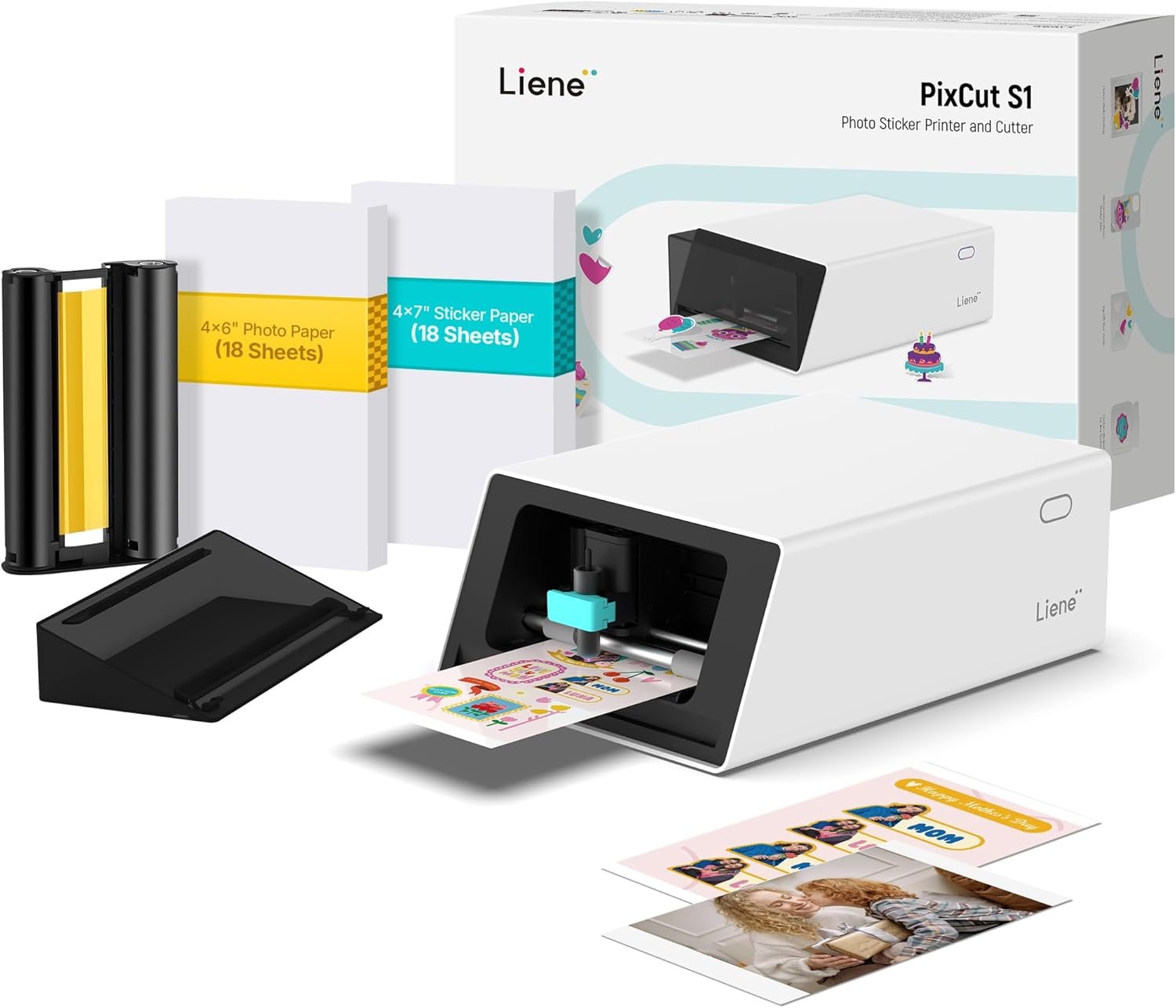
Product Review: Liene PixCut S1
The Liene PixCut S1 is made for people who want to print and cut stickers at home. It also works as a small photo printer. The machine uses 300 DPI dye-sublimation print tech for smooth color.
What makes it stand out is the built-in cutter. I do not need a second cutting machine for basic sticker work. The machine can find the shape of a design and cut around it.
The PixCut S1 uses 4×7-inch sticker paper and 4×6-inch photo paper. It can hold up to 36 sheets in its paper setup. That makes it a good fit for small craft jobs.
The print process also adds a clear top layer. This helps protect the print from water and light scratches. So, the finished sticker is made for more than just indoor paper use.
I also like the small size. The machine is about 11 inches wide, 7.7 inches deep, and 4.1 inches tall. It weighs about 6.4 pounds. I can see it fitting well on a craft desk or home office shelf.
The Liene app is a big part of the setup. I can use it to make designs, add photos, use templates, and send work to the machine. The app works with both Android and iPhone devices.
The PixCut S1 uses Bluetooth 5.0. I like this for a home setup because I do not need a long cable between my phone and the machine.
One point to know is that this is not a large print machine. The paper sizes are small. So, I would use it for stickers, labels, photos, gifts, and small craft jobs.
The machine also uses special Liene paper and print supplies. This means I would plan for refill costs before using it for a lot of stickers.
For me, the main appeal is the all-in-one setup. I can design, print, and cut without moving the sheet to another machine.
What I Like
- Print and cut in one machine: I like having both jobs in one small unit. It keeps my craft desk less crowded.
- Good color detail: The 300 DPI print setting gives photos and sticker art a clean look.
- Auto-cut feature: The machine can follow the shape of a design without me cutting each sticker by hand.
- Small desk size: I can see this fitting well in a home office, craft room, or small work area.
- Phone control: The Bluetooth setup makes it easy to work from a phone or tablet.
What Could Be Better
- Small paper size: The PixCut S1 is not made for large stickers or big signs.
- App-based work: I would want more options if I prefer to do all my design work on a computer.
- Supply choice: I need to plan around the paper and print supplies made for this machine.
My Personal Experience with Liene PixCut S1
The first thing I noticed is how much work this machine puts into one small box. I can use it for photos, stickers, and labels without adding another cutter to my desk.
For simple sticker art, the auto-cut feature saves time. I do not need to trace every shape with a blade or scissors.
I also like it for gift work. I can make a name sticker, a small photo, or a custom label for a box or bag.
For home use, the small paper size is not a big issue for me. Most of the small labels and stickers I make do not need a large sheet.
I can also see this being useful for planners. Small icons, words, names, and fun shapes can be printed and cut in one run.
For kids’ craft time, the machine can add a fun way to make custom art. I would still keep the machine and blade away from young kids during use.
I like the photo side too. The 4×6-inch photo size is a common size, so it works well for small photo prints and gift ideas.
The dye-sub print method is also nice for photos. It lays down color in layers, which helps create smooth prints without the dot look that some small printers can show.
The clear top layer is another useful touch. It helps the finished print handle water and light scratches better than plain paper.
For small business work, I would use this for samples, package labels, thank-you stickers, or small logo stickers. I would not use it as my only machine for a very large order.
The cutting speed also makes a difference when I have many small designs. It is much easier than sitting with scissors and cutting each shape one at a time.
I also like that up to three devices can connect through Bluetooth. That can help when more than one person uses the machine at home or in a small work space.
One thing I would watch is the app. If I already enjoy making designs on a computer, I may want more desktop control.
I also would not buy this machine for large signs or big sticker sheets. Its best use is small creative work where print and cut need to happen together.
Overall, I see the PixCut S1 as a space-saving tool. Its main value comes from joining photo printing and sticker cutting in one machine.
Comparing With Other Brands
I have also looked at other sticker makers and small craft machines. The big difference is how much work each machine asks me to do by hand.
Some machines focus on cutting. Others focus on printing. The PixCut S1 tries to bring both jobs into one setup.
Liene PixCut S1 vs Other Brands
Print quality: The PixCut S1 uses 300 DPI dye-sub printing. This makes it more like a small photo printer than a basic label printer.
Cutting: Its auto-cut system is made to find the edge of the design. That can save time when I make many custom shapes.
Ease of use: The phone app keeps the setup simple. I do not need a large desk full of tools to start a small sticker project.
Size: The small body is easy to place in a home work area. But the small paper size also limits what I can make.
Cost: The machine itself is only part of the cost. I would also think about paper, print supplies, and how often I plan to use it.
Best use: I see the PixCut S1 as a fit for small stickers, labels, photos, gifts, planners, and craft work. A larger craft machine may make more sense for big projects.
Is the Liene PixCut S1 Good?
Yes, I think the Liene PixCut S1 is a useful choice for small sticker and photo projects.
Its best feature is the way it joins print and cut work. I can make a design and get a finished sticker without moving the sheet to another machine.
The 300 DPI print quality is also a strong point for photos and colorful sticker art.
I would look at other machines if I needed large sheets, more paper choices, or deep computer control.
Recommendation
I would consider the Liene PixCut S1 if I wanted a small machine for custom stickers, labels, photos, and gifts.
It makes the most sense for home crafters, planners, teachers, small shops, and people who enjoy making custom items.
For a USA home office, its small size is helpful. I can keep it on a desk without giving up much space.
I would do more research if I planned to make hundreds of large stickers every week. A bigger machine may fit that type of work better.
I would also check the current refill cost before buying. Regular sticker use means paper and print supplies will become part of the long-term cost.
FAQs for Liene PixCut S1 Color Sticker Printer Reviews
What can the Liene PixCut S1 make?
The PixCut S1 can make custom stickers, labels, photos, and small craft items. It can print and cut in one workflow.
Does the Liene PixCut S1 print in color?
Yes. It uses 300 DPI dye-sublimation color printing. This makes it useful for photos and colorful sticker designs.
Does the PixCut S1 cut stickers by itself?
Yes. The machine has an auto-cut feature that can follow the shape of a design. This reduces the need for hand cutting.
Can I use my phone with the Liene PixCut S1?
Yes. The machine uses Bluetooth and works with Android and iOS devices. Most design and print work is handled through the Liene app.
Is the Liene PixCut S1 good for small businesses?
It can be useful for small jobs. I would use it for labels, logo stickers, thank-you stickers, and small custom orders. For very high output, I would look at a larger setup.
What size stickers can the PixCut S1 make?
The machine uses 4×7-inch sticker sheets. The printable area is a bit smaller than the full sheet. This makes it better for small and medium sticker designs.
Does the Liene PixCut S1 need ink bottles?
No. It uses a dye-sublimation print system with a matching print cartridge. This removes the need to fill liquid ink tanks.
Conclusion
The Liene PixCut S1 is a smart fit for small sticker, label, photo, and craft jobs. I like that it can print and cut without needing two separate machines. The 300 DPI color print and auto-cut feature are its main strengths. I would choose it for home crafts and small custom work, but I would look at a larger machine for big sticker orders.